/examples/thumbnails/
Thumbnails
Open this page on the live examples/examples/thumbnails
What it shows
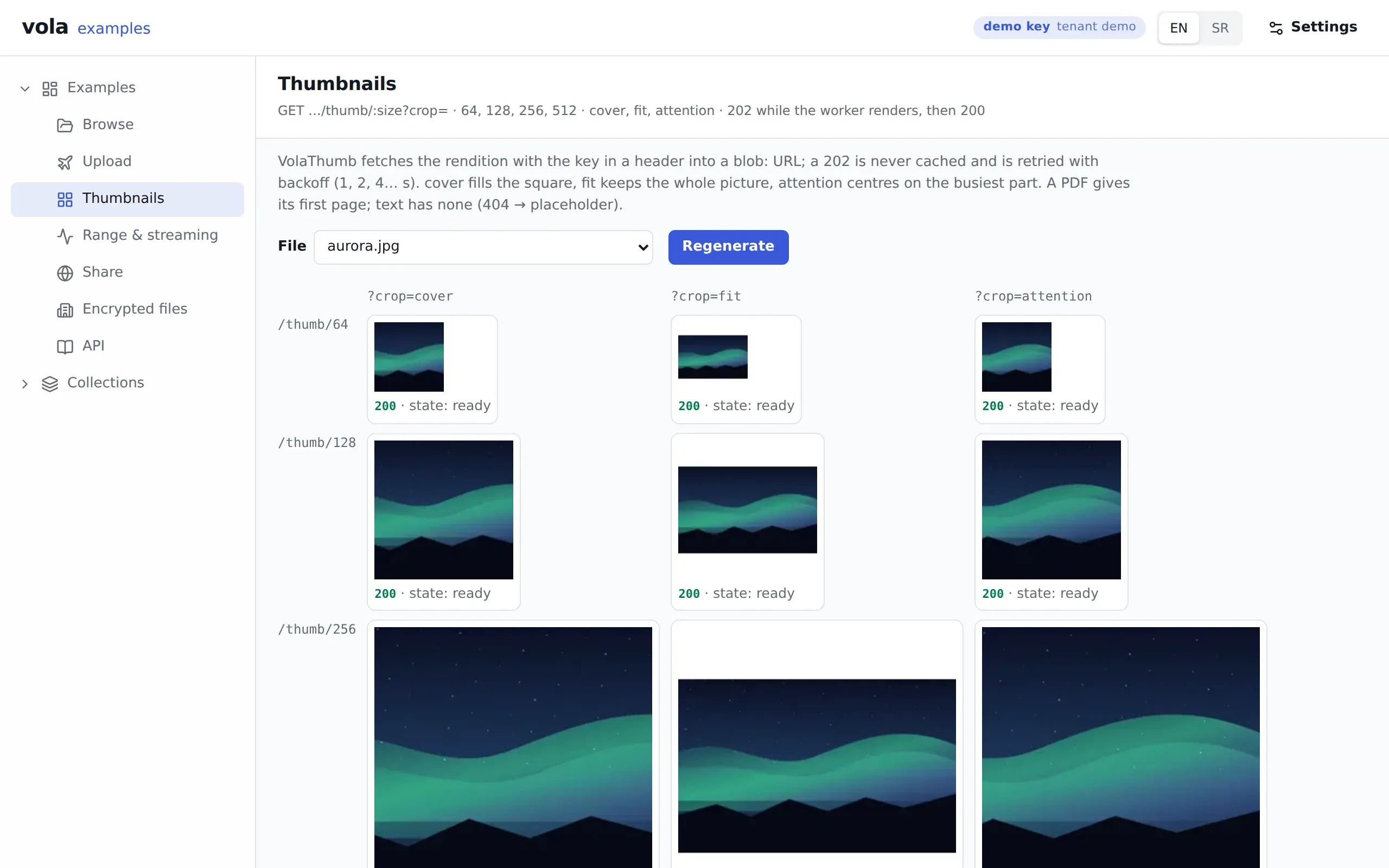
Section titled “What it shows”Twelve tiles: the sizes 64, 128, 256 and 512 against the crops cover, fit and attention. Each tile shows its state, so 202 means the worker is still rendering and 200 means the real image arrived.
cover fills the square, fit keeps the whole picture, and attention centres on the busiest part. A PDF gives its first page. The page also shows a curl command for one rendition with the demo key filled in.
A 202 body is a grey placeholder with a success status. Clients have to check for it and never cache it. The rules are in Uploads and processing.
What to try
Section titled “What to try”- Press Regenerate. It drops the renditions, so every tile goes back through
202to200. - Pick
portrait.webpand compare the crops.attentionfinds the face. - Pick
grid.pngto see which cells each crop and size keeps. - Pick an encrypted file. It gets thumbnails too, sealed under its file key.
Routes
Section titled “Routes”| Route | What for |
|---|---|
GET /vola/files/:type/:id/:fileId/thumb/:size?crop= |
The rendition, with the demo key in a header |
POST /vola/examples/regenerate/:fileId |
The demo-only route behind Regenerate |
GET /vola/files/:type/:id |
The list behind the file picker |
GET /vola/udc/subscribe |
Refreshes that list when files change |
@vol-a/react pieces
Section titled “@vol-a/react pieces”VolaThumb draws each tile. It fetches the rendition into a blob: URL, retries a 202 with backoff (1, 2, 4 seconds) and never caches one. Its onState callback is what fills in each tile’s status. useFilesLive keeps the list current.
v1.1.1released built 519e3dc