/examples/api/
API
Open this page on the live examples/examples/api
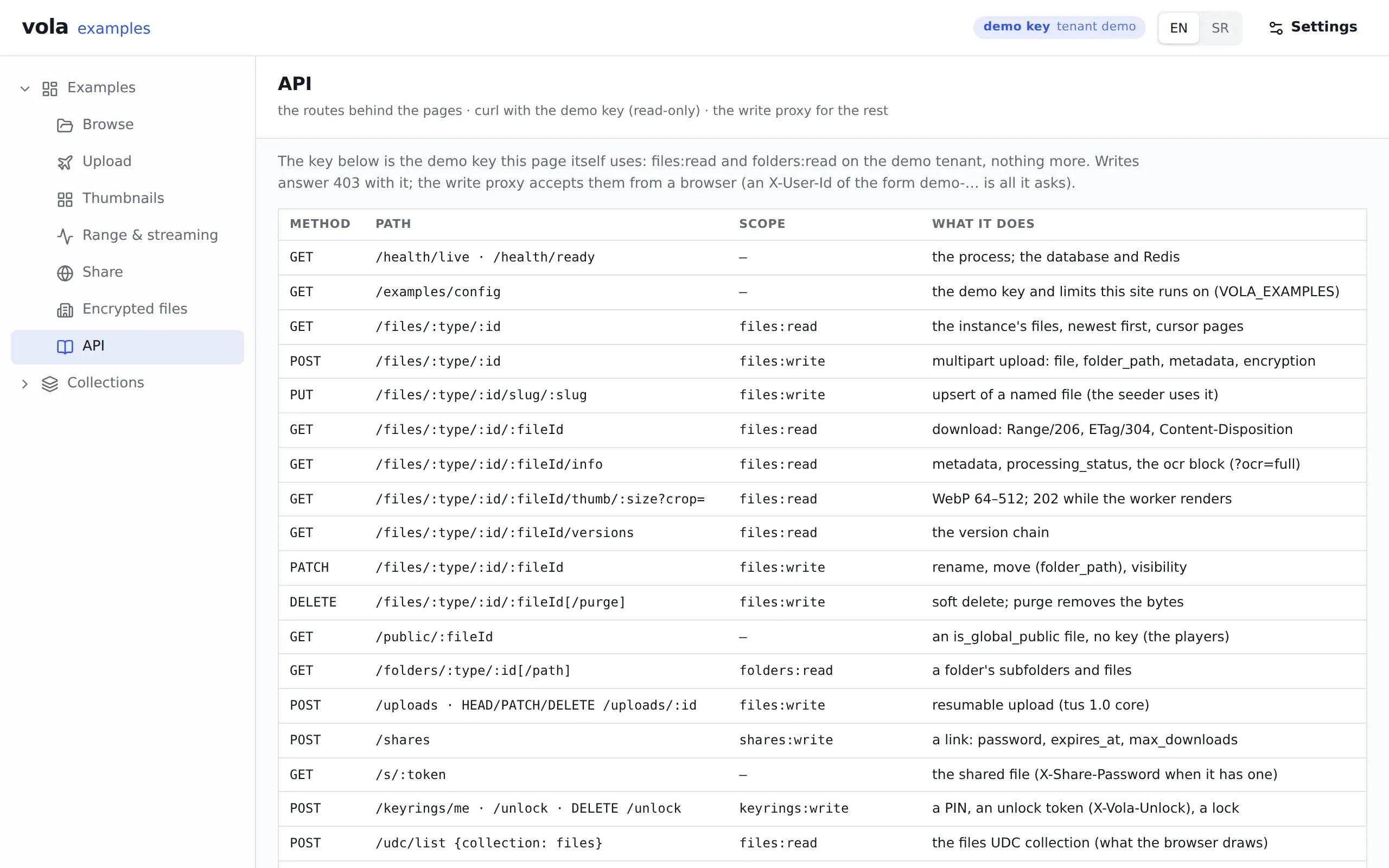
What it shows
Section titled “What it shows”A table of the routes the other pages use, with method, path, scope and a line on what each does. It covers health, the demo config, files, public files, folders, resumable uploads, shares, keyrings, UDC and the write proxy.
Below the table are curl commands you can copy. They carry the same demo key the page itself uses: files:read and folders:read on the demo tenant, nothing more. For every route, see the API reference.
What to try
Section titled “What to try”- Run the health and config commands. Neither needs a key, and the config answer is where the site gets its demo key.
- Run the list, info and folders commands against the demo instance.
- Run the download with
Rangeand read the206headers. - Fill in a file id from the list and run the thumbnail command. A rendition that does not exist yet answers
202, then200. - Run the write with the demo key. The answer is
403, because the key is read-only. - Run the same write through the proxy. It needs no key, only an
X-User-Idof the formdemo-….
Routes
Section titled “Routes”| Command | Route |
|---|---|
| health | GET /vola/health/ready |
| config | GET /vola/examples/config |
| list | GET /vola/files/:type/:id?limit=5 |
| info | GET /vola/files/:type/:id/:fileId/info?ocr=full |
| download with Range | GET /vola/files/:type/:id/:fileId |
| thumbnail | GET /vola/files/:type/:id/:fileId/thumb/256?crop=attention |
| folders | GET /vola/folders/:type/:id/images |
| udc list | POST /vola/udc/list |
| lookups | GET /vola/lookups |
| write through the proxy | POST /vola/examples/write/files/:type/:id |
@vol-a/react pieces
Section titled “@vol-a/react pieces”None. The page is a table and command blocks that the site builds from its connection settings: base URL, key and instance. Everything on it works from a terminal.
v1.1.1released built 519e3dc