/examples/browse/
Browse
Open this page on the live examples/examples/browse
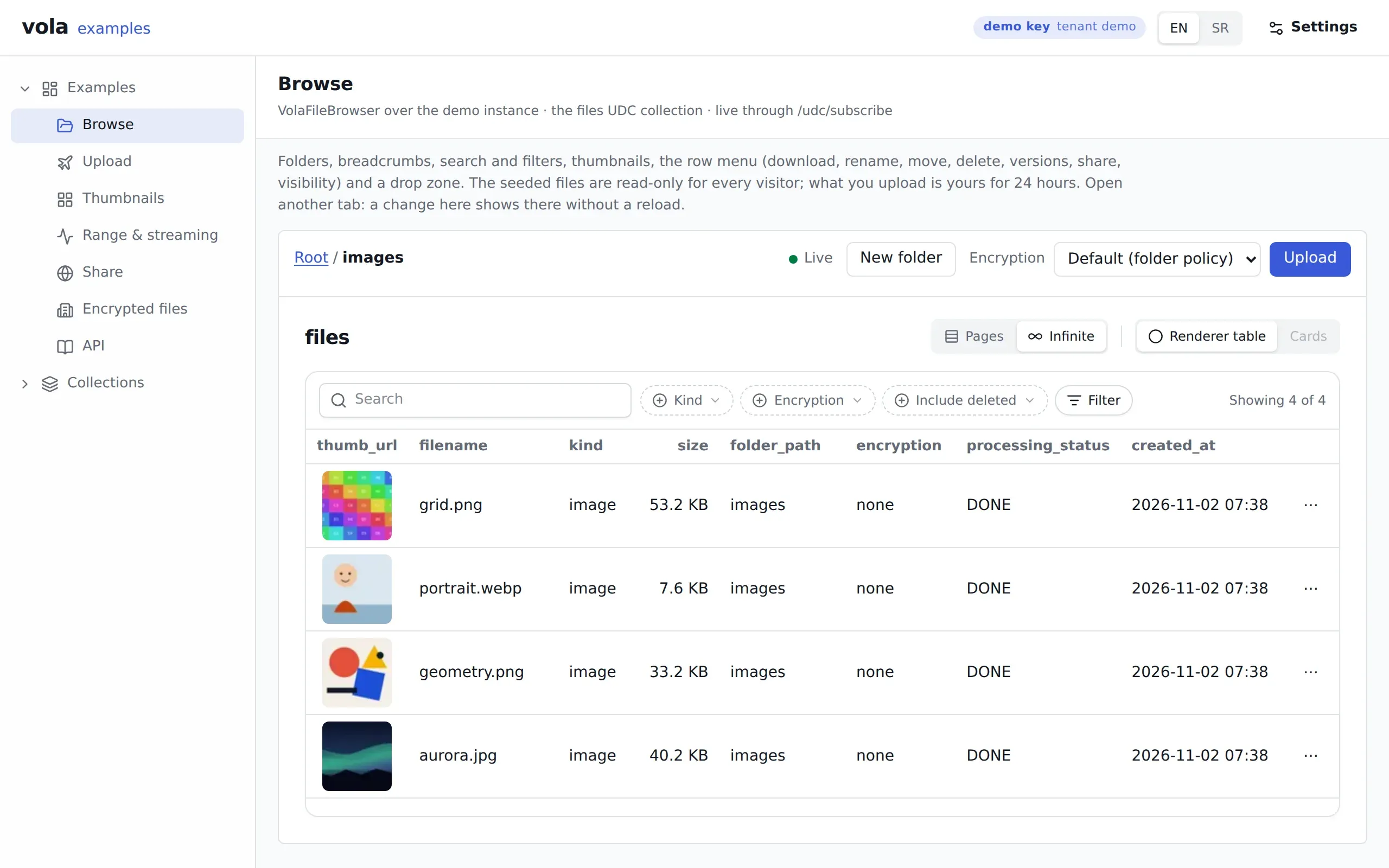
What it shows
Section titled “What it shows”The whole file browser of an instance as one component: breadcrumbs, subfolders, search and filters, thumbnails, a drop zone and a menu on each row (download, rename, move, delete, versions, share, visibility).
The list stays live. The page subscribes to the same rows it lists, so a change anywhere appears here without a reload. Real-time explains how. The folder is in the URL as ?folder=images, so a link can open the browser inside a folder.
What to try
Section titled “What to try”- Open the page in two tabs. Upload or rename a file in one and watch the other.
- Upload an image and watch
processing_statusmove as the worker renders it. - Rename a seeded file. The answer is
403, because the demo pack stays as it is for everyone. - Open
?folder=documentsand look atnotes.txt, which has no thumbnail.
Routes
Section titled “Routes”| Route | What for |
|---|---|
POST /vola/udc/describe, POST /vola/udc/list |
The files collection, scoped to the instance and folder |
GET /vola/udc/subscribe |
The WebSocket that keeps the list live |
GET /vola/folders/:type/:id/*path |
Breadcrumbs and subfolders |
/vola/examples/write/… |
Every write, through the write proxy |
@vol-a/react pieces
Section titled “@vol-a/react pieces”VolaFileBrowser is the page. It draws VolaThumb in its table and takes the instance, the folder and the columns as props. VolaProvider supplies the client around it.
v1.1.1released built 519e3dc